
Submission and Correction Folder
The __shared Folder
Each profile created by lecturers already contains a shared folder called __shared. Lecturers can store materials (e.g., scripts, exercises) there, and students can copy them to their personal folders. Since storage space is limited to 2GB (see “Technical framework”), larger files (e.g., data sets, training data) should not be copied in order to keep personal folders as small as possible and avoid redundant data storage. In addition, a submission and correction folder can be added when creating a profile so that an exercise process can be carried out directly on the platform.
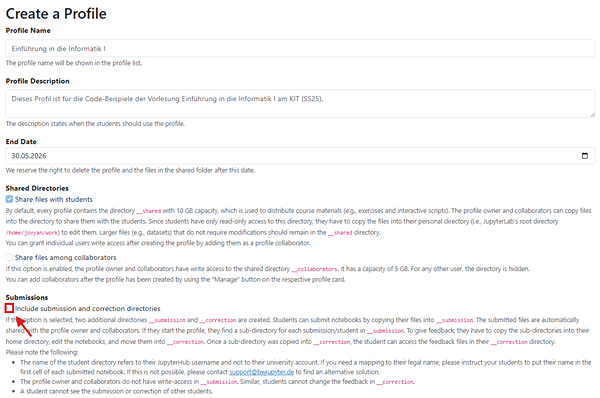
The submission folder “__submission” and the correction folder “__correction”
When creating a profile, lecturers can specify whether they want to create two additional folders called __submission and __correction. Both folders implement a simple submission system for files without having to leave the JupyterHub.
Students can submit their files by copying them into the __submission folder. The profile owner and the profile collaborators can automatically view all students' submissions. Students can view the feedback in the __correction folder as soon as the correction has been stored there by the profile owner or profile collaborators.

|
Folder
|
Role |
write permissions |
read permissions |
|
|
Studierende
Dozierende
|
✗
✓ |
✓
✓ |
|
|
Studierende
Dozierende |
✓
✗ |
✓
✓
|
|
|
Studierende
Dozierende
|
✗
✓ |
✓
✓ |