
Add collaborating lecturers
You can add other people as lecturers in a created profile. These people are referred to as "Collaborators" and have lecturer rights when editing the folders, for example write access to the"__shared" folder and lecturer rights for the grading service.
To add a collaborator to a profile, open the "Profile Management" area in the header of the JupyterHub. In the desired profile, click on "Manage..." in the "Collaborators" section. On the following page, enter the JupyterHub username of the person you want to add and confirm with "Add". If the user name is valid, the number of Collaborators in the profile overview will be updated accordingly.
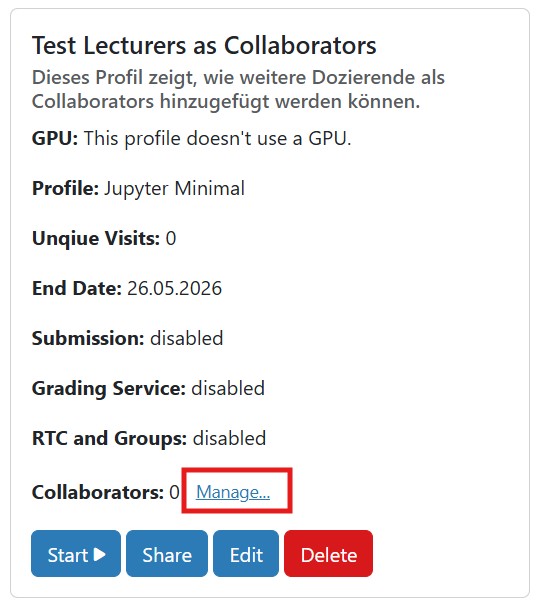
You can view which people are already registered as Collaborators at any time by clicking on the "Manage..." button. All assigned user names are listed there.
Collaborators will see the profile to which they have been added displayed on the start page in the profile overview.